NijiCADTutorials
The NijiCAD Training Series launched on YouTube on March 23, 2026, and tutorials up to MISSION 15 are now available. Whether you are a beginner or looking to master advanced features, these step-by-step video tutorials will help you get the most out of NijiCAD.
- Learn basics from scratch
- Step-by-step practical examples
- Master advanced drawing features
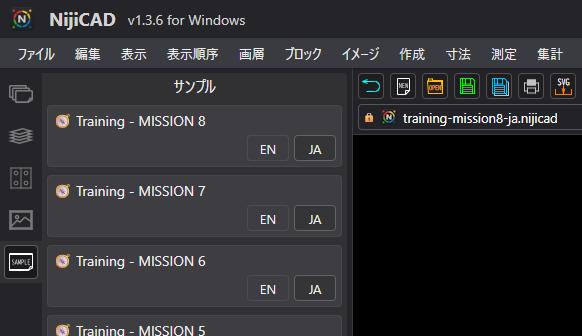
Access Sample Files in App
You can directly open the training files shown in the tutorials from the "Samples Palette" inside NijiCAD.
Learn Through 15 Hands-On Missions
Master NijiCAD step by step with 15 hands-on training missions, covering everything from the fundamentals to advanced editing features. Each mission includes 10 tasks, allowing you to build your skills progressively. Below is an example from the final mission, Mission 15.
Mission 15
Learn advanced editing, scaling, image handling, and block editing techniques.
Cut a rectangular selection and move it to another location
Scale objects while keeping dimensions synchronized
Scale vertically relative to two points (without scaling objects)
Scale vertically relative to two points (including objects)
Draw an arc by specifying the endpoint first
Draw connected arcs continuously
Export a selected area as a PNG image
Paste an image from the clipboard
Force block definitions to use ByBlock properties
Explode forced ByBlock blocks for different purposes