Features
Discover the features of NijiCAD, including intuitive operation, a refined user interface, and a thoughtfully designed data architecture for efficient 2D CAD workflows.
NijiCAD Format & Industry Standards
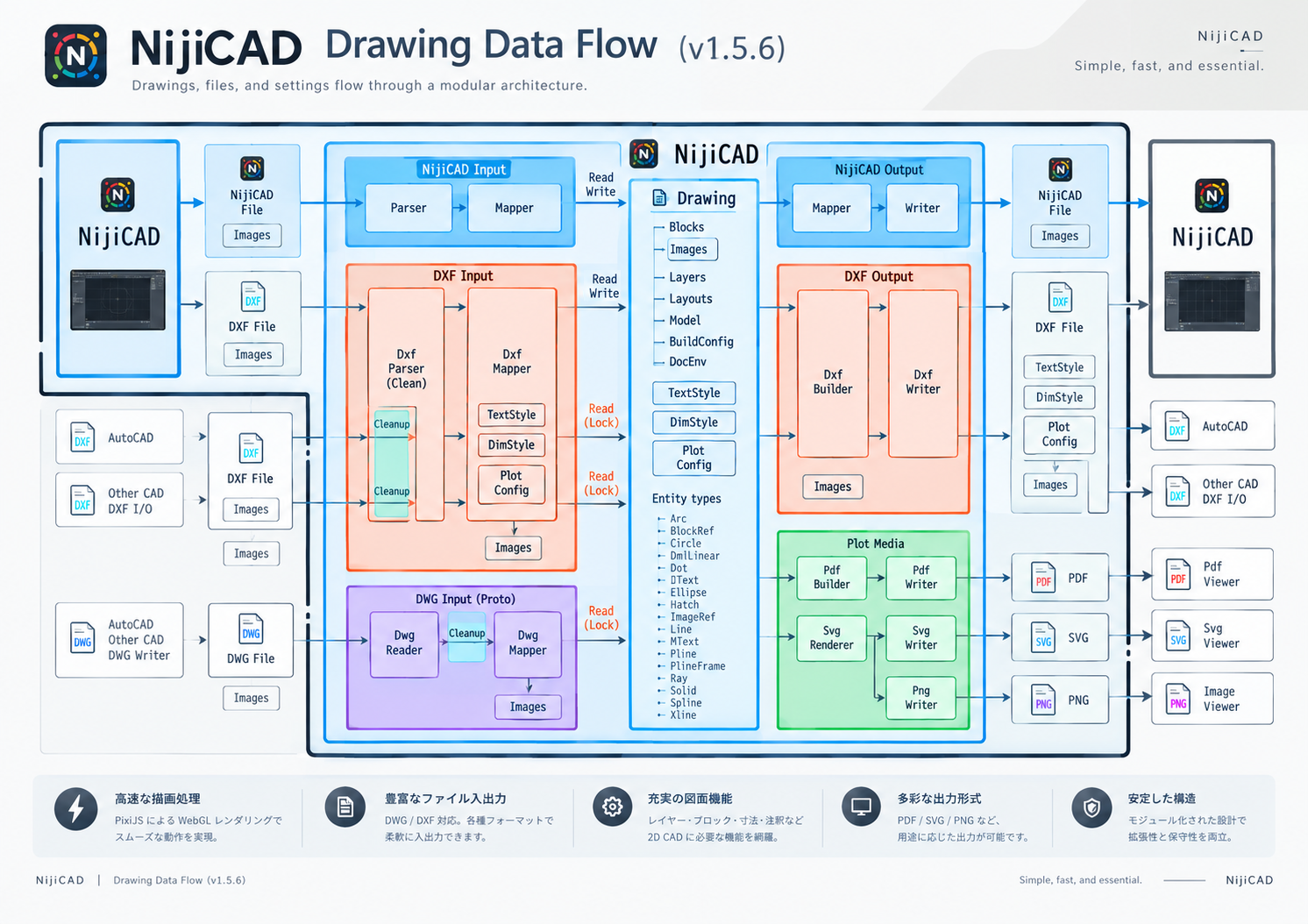
In addition to its proprietary save format, NijiCAD also supports common file formats like DXF, DWG, and JWW. You can smoothly exchange data with other CAD software, so you can use it with confidence in various environments.
NijiCAD Format
NijiCAD's exclusive file format. It saves not only drawing data but also image and print settings together, so you don't have to worry about missing information when opening the file.
DXF Import/Export
Supports input and output of the industry-standard DXF format, enabling easy data exchange while maintaining compatibility with other CAD software.
DWG Import
Supports reading (input) of DWG formats, allowing you to easily utilize existing DWG data to smoothly start your design work.
Supports Diverse Output Formats
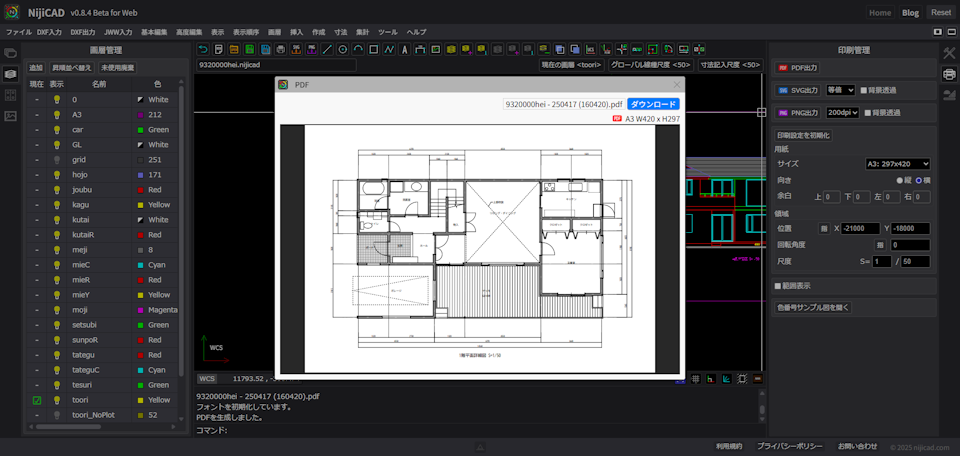
Excellent for high-quality printing output and file output, meeting the requirements for professional drawing creation.
PDF Output
High-quality PDF output makes printing easy
SVG Output
Output as high-resolution vector images
PNG Output
Output as high-quality raster images
Superior drawing speed and
lightweight operation
High-speed rendering with WebGL and optimized processing allow stress-free operation even with large drawings.
- High-speed rendering with WebGL - Smooth display with latest browser tech
- Smooth 60 frames per second (60fps)
- Fluid scrolling, zooming, and editing
- Optimized by proprietary algorithms to handle tens of thousands of objects effortlessly
Command Set
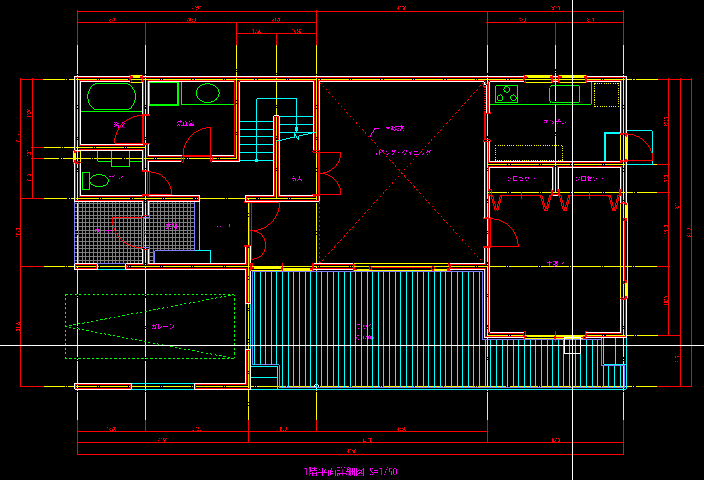
With a command set optimized for practical work, it has the flexibility to adapt to any situation. Intuitive operations allow you to smoothly perform complex design tasks.
Versatile Drawing Commands
Intuitively operate basic drawing commands such as lines, circles, and arcs.
Efficient Editing Commands
A full range of commands to speed up drawing editing tasks like move, copy, and rotate.
Advanced Management Features
Finely control the entire drawing with layers, blocks, and dimension styles.
Powerful Drawing Tools
Features to assist in creating accurate drawings efficiently are also plentiful. We support drawing exactly as you intended without compromise on details.
Object Snap
Automatically detects endpoints, center points, etc., of shapes to achieve accurate alignment.
Ortho Mode
Maintains drawing consistency by limiting drawing to horizontal and vertical directions.
Polar Tracking
Displays guides in any angular direction, making the creation of inclined lines smooth.