Focus on drawing with this
2D CAD
NijiCAD is a versatile 2D CAD application for creating drawings, usable on both web browsers and desktops. Combining intuitive operation with multi-functionality, it supports a wide range of users from beginners to professionals. All basic features are available for free.
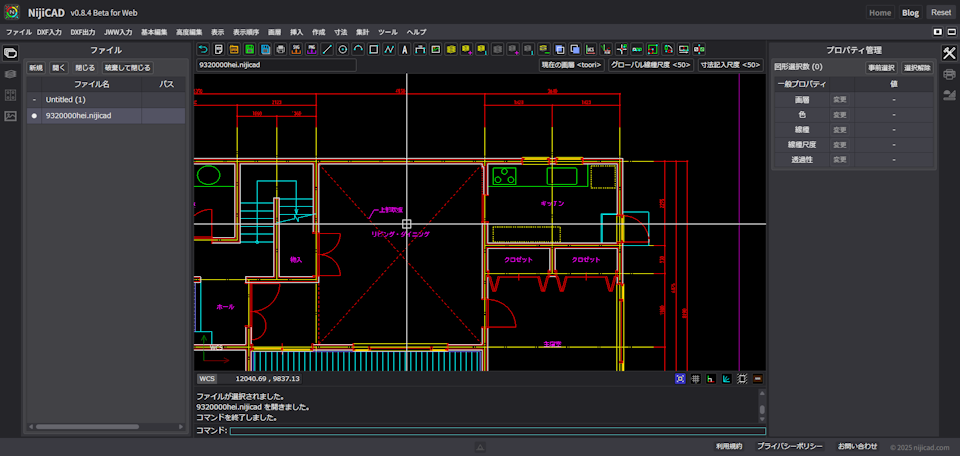
Features of NijiCAD
We pursue an environment where you can focus on "drawing", aiming for you to be able to draw as you wish without being troubled by complex settings or procedures.
Intuitive Operation
Equipped with a traditional user interface, even CAD beginners can operate intuitively and start using it immediately. Furthermore, it also supports traditional prompt operations, providing an efficient and flexible drawing environment for advanced CAD users.
Advanced Drawing Capabilities
It features advanced drawing and editing functions, suitable for various industries such as architecture and mechanical design. Achieve drawing according to your purpose with a variety of tools. It is equipped with a wide range of practical functions such as dimensioning, hatching, and layer management.
Optimized Performance
Boasting excellent performance, it provides a smooth operational feel. Even large-scale drawings can be processed without stress, maximizing work efficiency. Optimized rendering and nimble operation provide a comfortable work environment.
High Quality Output
You can easily print drawings to PDF with high quality, creating drawings reflecting detailed specifications. It also supports output in SVG and PNG formats, which can be utilized for various purposes.
Industry Standard Compatibility
Supports the industry-standard DXF format, allowing easy data import and export while maintaining data compatibility with other CAD software. JWW format files can be imported directly, maintaining compatibility with existing Jw_cad data.
Cross-Platform
Enables operation leveraging the merits of both desktop and web apps. The desktop app is compatible with Windows (macOS planned). The web app supports browsers like Chrome and Edge.
Superior drawing speed and
lightweight
operation
High-speed rendering with WebGL and optimized processing allow stress-free operation even with large drawings.
-
High-speed rendering with WebGL - Smooth display with latest browser tech
-
Smooth 60 frames per second (60fps)
-
Fluid scrolling, zooming, and editing
-
Optimized by proprietary algorithms to handle tens of thousands of objects effortlessly
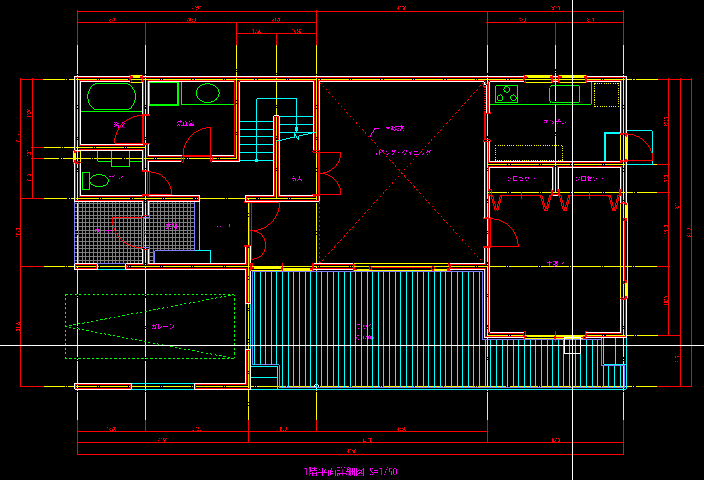
Powerful Drawing Tools
Features to assist in creating accurate drawings efficiently are also plentiful. We support drawing exactly as you intended without compromise on details.
Object Snap
Automatically detects endpoints, center points, etc., of shapes to achieve accurate alignment.
Ortho Mode
Maintains drawing consistency by limiting drawing to horizontal and vertical directions.
Polar Tracking
Displays guides in any angular direction, making the creation of inclined lines smooth.
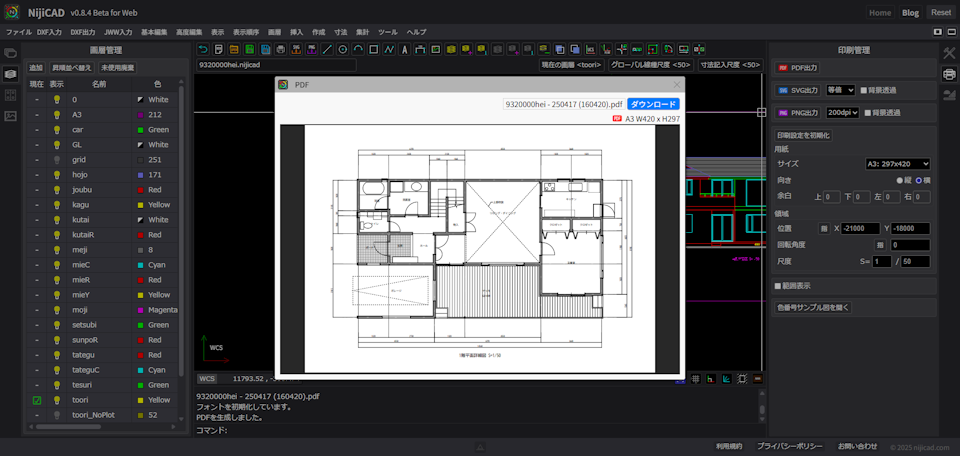
Supports Diverse Output Formats
Excellent for high-quality printing output and file output, meeting the requirements for professional drawing creation.
PDF Output
High-quality PDF output makes printing easy
SVG Output
Output as high-resolution vector images
PNG Output
Output as high-quality raster images
NijiCAD Format &
Industry
Standards
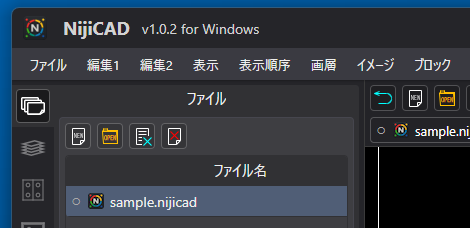
In addition to its proprietary save format, NijiCAD also supports common file formats like DXF and JWW. You can smoothly exchange data with other CAD software, so you can use it with confidence in various environments.
NijiCAD Format
NijiCAD's exclusive file format. It saves not only drawing data but also image and print settings together, so you don't have to worry about missing information when opening the file.
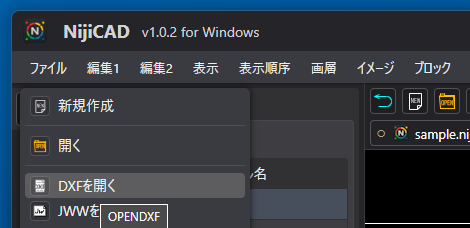
DXF Compatible
Supports the industry-standard DXF format, enabling easy data import and export while maintaining compatibility with other CAD software.
NijiCAD Training Series
The NijiCAD Training Series launched on YouTube on March 23, 2026, and tutorials up to MISSION 14 are now available. Whether you are a beginner or looking to master advanced features, these step-by-step video tutorials will help you get the most out of NijiCAD.
-
Learn basics from scratch
-
Step-by-step practical examples
-
Master advanced drawing features
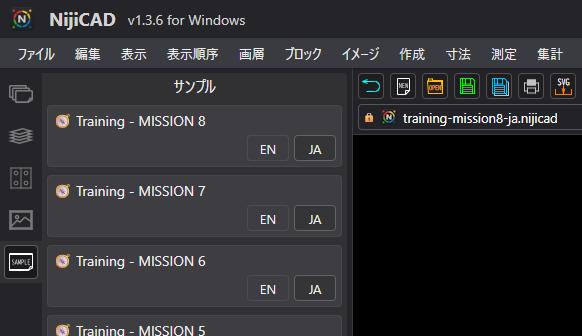
Access Sample Files in App
You can directly open the training files shown in the tutorials from the "Samples Palette" inside NijiCAD.
Wide Range of Applications
NijiCAD is a versatile 2D CAD not bound by specific fields. With its simple and flexible design philosophy, it meets the drawing needs of various industries.
Architecture
Create drawings necessary for architectural design such as floor plans, elevations, and sections.
Civil Engineering
Create drawings necessary for civil engineering works such as survey maps and site plans.
Mechanical
Create drawings necessary for mechanical design such as part drawings and assembly drawings.
Electrical
Create drawings necessary for electrical design such as circuit diagrams and wiring diagrams.
Supported Platforms
Currently offering a Web Browser version and a Windows Desktop App.
Desktop App
In addition to the same functions as the browser version, it maximizes the benefits of local PC operation. Offers higher performance and stability, and can be used offline.
- Windows Supported
- macOS Supported (Coming Soon)
- Linux (TBD)
- Available on Microsoft Store

Web App
Runs on a web browser, no installation
required, start using immediately.
- Recommended: Chrome, Edge
- Resolution: 1920x1080+
- No account required, Free
- Mouse operation recommended
Future Roadmap
We will continuously improve features. We aim to improve basic functions based on user feedback.
Publish
- PDF, SVG, and PNG will be published with a single command using multiple print area settings.
- Options for separate pages or bundled PDF. Naming rules for PDF, SVG, and PNG.
Layout
- Display parts of the model in viewports and support print settings.
- Support for layout export.
Customize
- Support for command aliases and shortcut key settings.
- Allow users to save settings.
VSCode Extension
- Enable viewing and editing of nijicad.svg files on VSCode.
AI Assistant
- Use AI models to obtain information necessary for drawing via AI assistant.
File Sharing
- Provide a mechanism to share with parties involved in the drawing.
Ready to experience NijiCAD?
No account registration needed, anyone can use it for free. Simple and easy to use, experience the fun of 2D CAD easily.
Support NijiCAD
NijiCAD is developed as a solo project, striving for long-term
improvement and quality enhancement.
If you find value in using it, you can support the project in the following ways.
NijiCAD v1.3.4 Release and Pro Version Policy
NijiCAD v1.3.4 has been released.
We have added a new reticle cursor style. It consists of crosshairs in four directions
and a central dot, which is ideal for accurately snapping to objects.
The moderately sized crosshairs allow you to track your cursor's position without
interfering with surrounding shapes. It is available in both the Free and Pro versions.
Additionally, we have changed our policy regarding the retention of system variables in
the Free version. Previously, system variables were restored upon startup, but now they
will always be set to their default values in the Free version. This design is intended
to help beginners who are experiencing the software for the first time understand the
available variables.
Although you will need to apply your settings every time you start the app, our goal is
to familiarize users with the standard environment first. This also applies to the Web
version.
In contrast, the Pro version restores your system variables upon startup. This allows
users to always draw with their favorite settings, as preferences for ZOOMFACTOR and
CURSORSTYLE vary from person to person.
Furthermore, if you find that TEXTRENDERMODE set to Fill makes operation feel heavy,
setting it to Outline ensures smooth and snappy editing.
After releasing the Pro version, the primary difference compared to the Free version
was largely limited to theme colors. Despite this, the fact that you decided to
purchase it is received as a sincere expression of your expectations for NijiCAD. We
thank you from the bottom of our hearts.
These specification changes are only possible thanks to the existence of everyone
who has loyally used NijiCAD. We promise to continue the stable development and
operation of our product into the future.
Key updates in v1.3.4
- Added the reticle cursor style
- Default system variable config for Free version on startup
- Restoration of system variables for Pro version on startup
- Added Training MISSION6 data
Purchase Pro Version
We are considering and preparing additional extensions for the Pro version to help you
utilize NijiCAD even further.
By purchasing the Pro version, you can directly support the continuous development of
NijiCAD.
Orynth
Orynth is a platform for continuously supporting developers.
Just by giving a "Like", you can contribute to the continuation of this project's
development.